Data Preprocessing
After the data is imported into your project, the next step is to define and apply preprocessing operations. The collected data needs to be processed before the data is used to train a model. This gives the model better accuracy without changing the architecture of the model.
Studio automatically computes the preprocessing parameters Input Shape and Input Frequency and displays them in the Preprocessor tab of the button, gesture, and position project files. Input Shape specifies the dimensionality of the data passed to the model. Input Frequency specifies the sampling frequency of the input data provided to the model.
For one-dimensional data, like button and gesture data, the minimum preprocessing required is applying a sliding window. However, for data with more than one dimension, like position data, a sliding window is not necessary for preprocessing.
Preprocessing for Touch Button
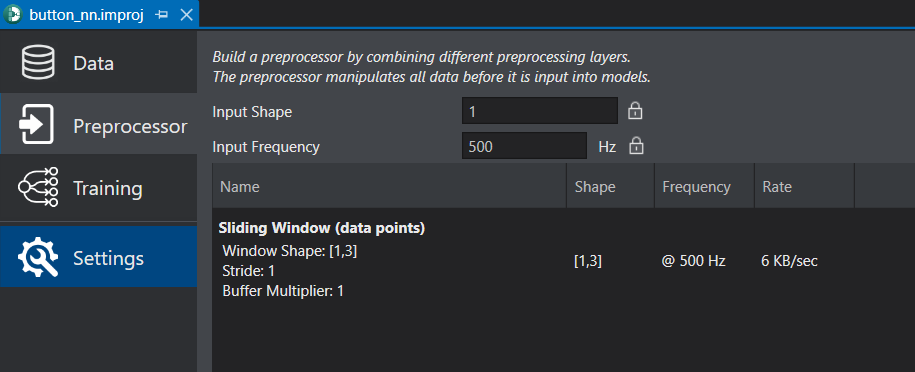
The data for touch button is one-dimensional data, so the minimum preprocessing required is applying a sliding window. The preprocessing configuration can be seen in the image below.
Preprocessing for Slider Gesture
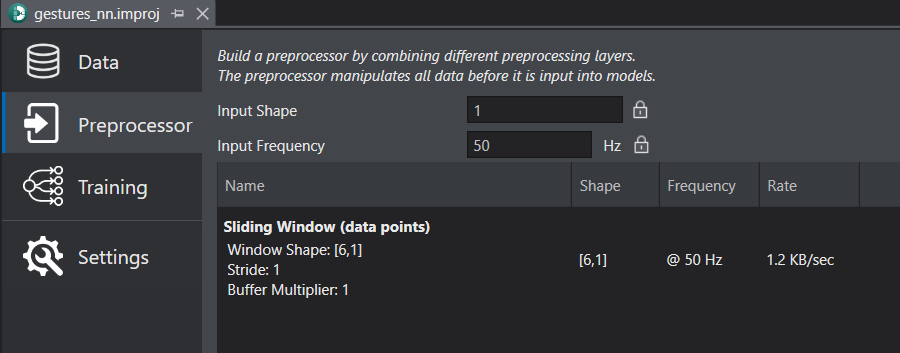
The data for slider gesture is one-dimensional data, so the minimum preprocessing required is applying a sliding window. The complete preprocessing configuration can be seen in the image below.
Preprocessing for Slider Position
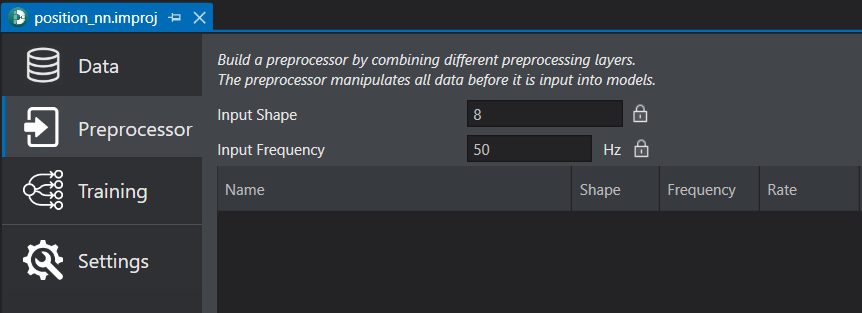
The data for the slider position is more than one dimension, so a sliding window is not necessary for preprocessing. The complete preprocessing configuration can be seen in the image below.
To know, how to add the sliding window as a preprocessing layer, refer to Configuring preprocessor.