PSOC™ Edge E84 HMI Kit
The PSOC™ Edge E84 HMI kit enables you to evaluate and develop your applications using the PSOC™ Edge E84 series MCU (called “PSOC™ E84”) and a multitude of on-board multimedia, Machine Learning (ML), and connectivity features like Raspberry Pi compatible MIPI-DSI displays, analog and digital microphones for audio interfaces, and AIROC™ CYW55513IUBGT based Wi-Fi & Bluetooth® combo Murata Type 2FY (LBEE5HY2FY) connectivity module. The kit also has 1-Gbit Octal SPI Flash and 512-Mbit Octal SPI HYPERRAM™. The kit features an on-board programmer/debugger (KitProg3), Device USB-C connector, 6-axis IMU sensor, humidity and temperature sensor, RADAR sensor, USB host camera, microSD card interface, speaker, MikroElektronika’s mikroBUS compatible shuttle interfaces, M.2 (E-key) radio interface, RGB user LED and user buttons. The MCU power domain supports 1.8 V and 3.3 V, and peripheral power domain supports 1.8 V, 3.3 V and 5 V. PSOC™ E84 MCU is an ultra-low-power PSOC™ device specifically designed for ML, wearables and IoT products like smart thermostats, smart locks, smart home appliances and industrial HMI. PSOC™ E84 MCU is a true programmable embedded system-on-chip with dual CPUs, integrating a 400 MHz Arm® Cortex® -M55 as the primary application processor, a 200 MHz Arm® Cortex® -M33 that supports low-power operations, and a 400 MHz Arm® Ethos-U55 as a neural net companion processor, graphics and audio block, DSP capability, security enclave with crypto accelerators and protection units, high-performance memory expansion capability (Octal SPI FLash and Octal HYPERRAM™), low-power analog subsystem with high performance analog-to-digital conversion and low-power comparators, on-board IoT connectivity module , communication channels, programmable analog and digital blocks that allow higher flexibility, in-field tuning of the design, and faster time-to-market. You can use ModusToolbox™ software to develop and debug your PSOC™ E84 MCU projects. ModusToolbox™ software is a set of tools that enable you to integrate these devices into your existing development methodology. For more information, refer to KIT_PSE84_HMI .
Kit contents
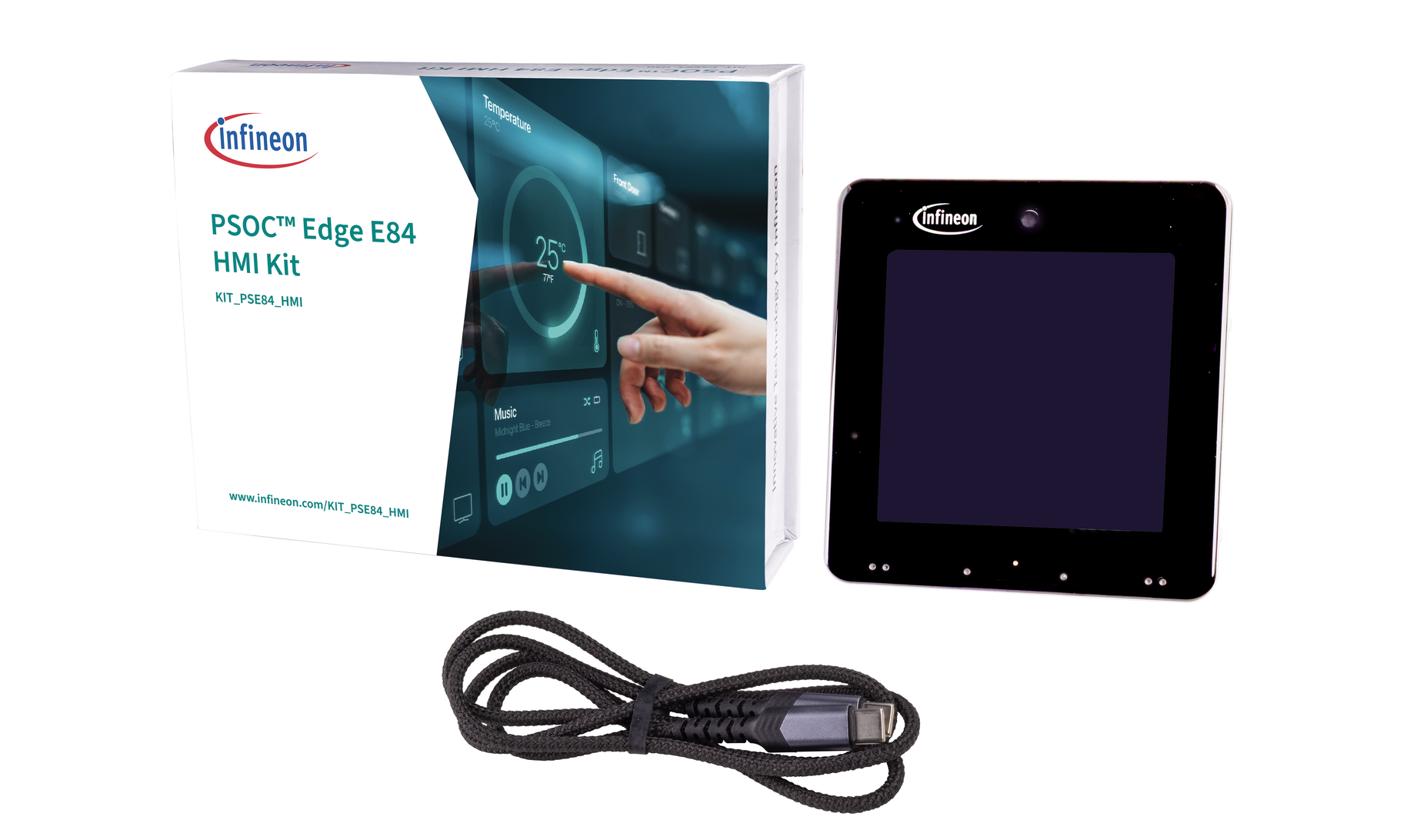
The kit includes the following:
- PSOC™ Edge E84 HMI Kit
- USB-C to USB-C cable
 |
|---|
Key applications
Following are some of the applications that you can build using the kit:
| Category | Applications |
|---|---|
| Smart Home | Smart thermostats, Residential Alarm and Security |
| HMI | Coffee machines and grinders, Microwave ovens, Ovens, Washing and drying |
| Robotics | Domestic robots |
Streaming Firmware from PSOC™ Edge E84 HMI Kit
You can flash the PSOC™ Edge E84 HMI kit with streaming firmware that streams sensor data from the USB port into DEEPCRAFT™ Studio, enabling rapid data collection and model creation. The streaming firmware is designed to collect data from all the sensors integrated into the kit, including the microphone, accelerometer, gyroscope, humidity-temperature and radar.
Flashing the Streaming Firmware using ModusToolbox™ Programmer
To flash the streaming firmware onto the kit, follow the pre-requisites and steps outlined below:
Pre-requisites:
- Streaming Firmware - PSOC™ Edge E84 HMI Kit (HEX File)
- Download and Install ModusToolbox™ Programmer v3.8 and above (Flash Utility)
- PSOC™ Edge E84 HMI Kit (KIT-PSE84-HMI)
Steps to flash the Streaming Firmware
-
Download and unzip the hex file to flash the Streaming Firmware onto the board.
-
Connect the KitProg3 USB connector (J1) port on the board to the PC using the USB-C cable. Verify the BOOT switch (SW5) is in the ON position.
-
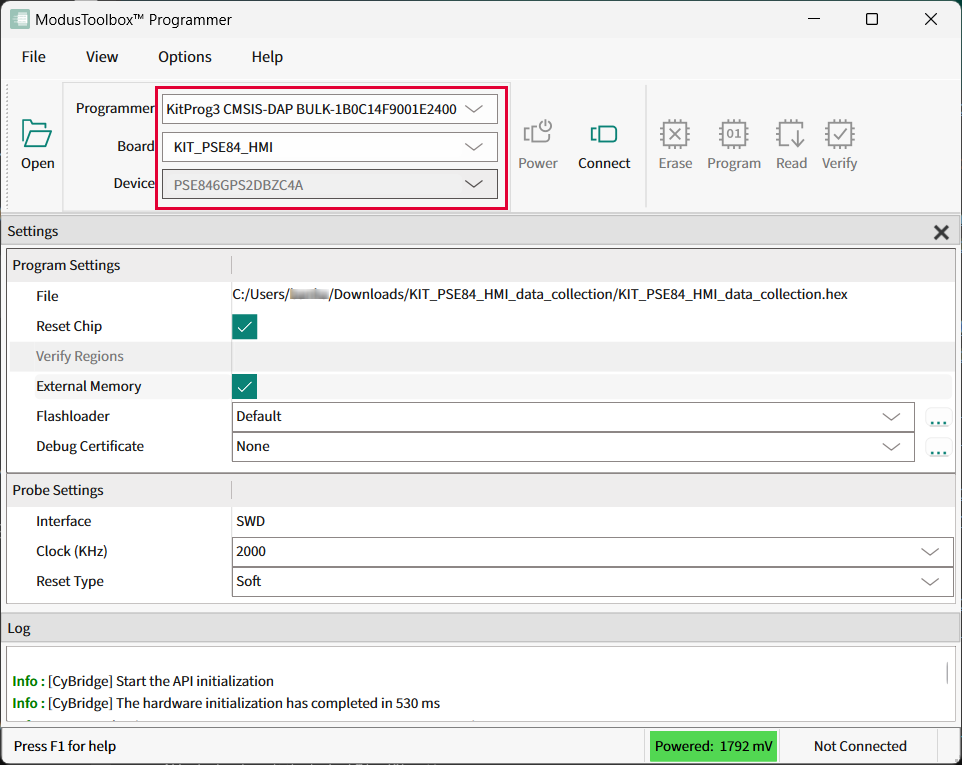
Open ModusToolbox™ Programmer from the Windows Start menu. The ModusToolbox™ Programmer window appears.
-
In Programmer drop-down box, select the device type as KitProg3 CMSIS-DAP BULK-XXXXXXXXXXXXXXXX.
-
In Board drop-down box, select the board type as KIT_PSE84_HMI.
-
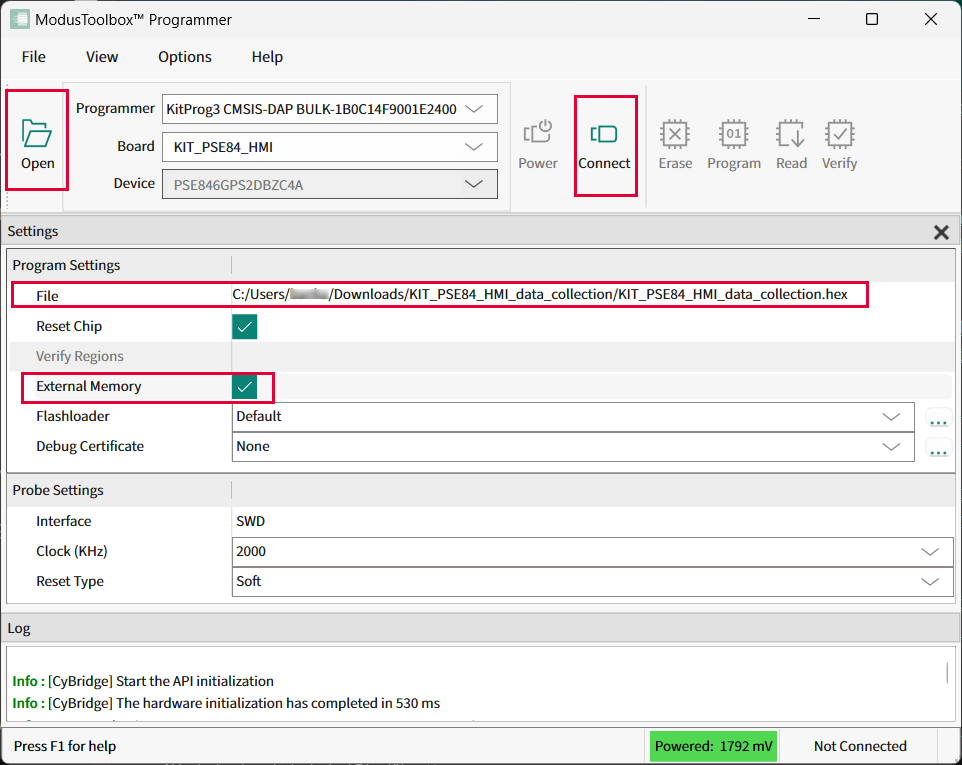
Click Open and navigate to select the Streaming Firmware (hex file) downloaded earlier.
-
Click Connect to establish a connection between the board and the ModusToolbox™ Programmer.
-
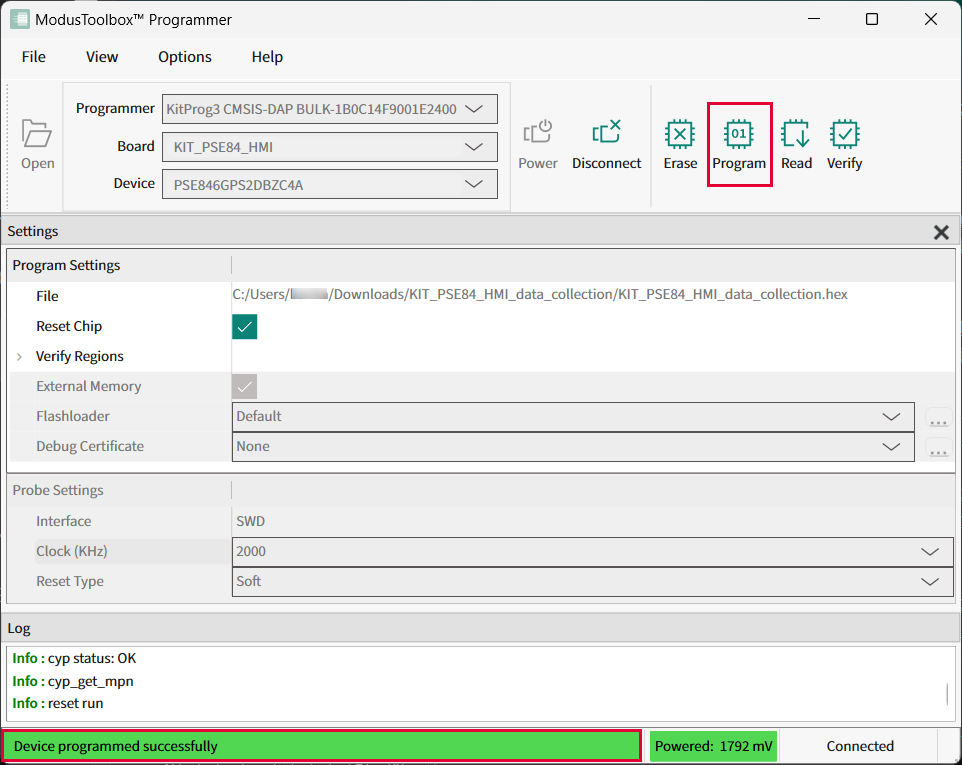
Click Program to flash the Streaming Firmware on the board. The kit is programmed successfully.
What’s Next?
After flashing the kit with the streaming firmware, refer to Real-Time Data Streaming with PSOC™ Edge E84 HMI Kit to collect and label real-time data into Studio.