Release Notes 6.0
This section lists the new functionality, improvements and some of the major changes related to DEEPCRAFT™ Model Converter.
New Features and Enhancements
Accelerated ML on Automotive MCUs
DEEPCRAFT™ Model Converter 6.0 now supports the Infineon AURIX™ TC4x family of automotive MCUs. You can generate code for neural network execution on either the Parallel Processing Unit (PPU) or TriCore. This leverages a custom version of the onnx2c project to generate code capable of accelerated inference on the PPU and TriCore.
The PPU on the AURIX™ TC4x family combines a scalar processor with a SIMD (Single Instruction Multiple Data) vector engine. This architecture is suitable for vector and matrix workloads that typically exceed the capacity of conventional CPU cores, enabling more efficient neural network execution on the MCU.
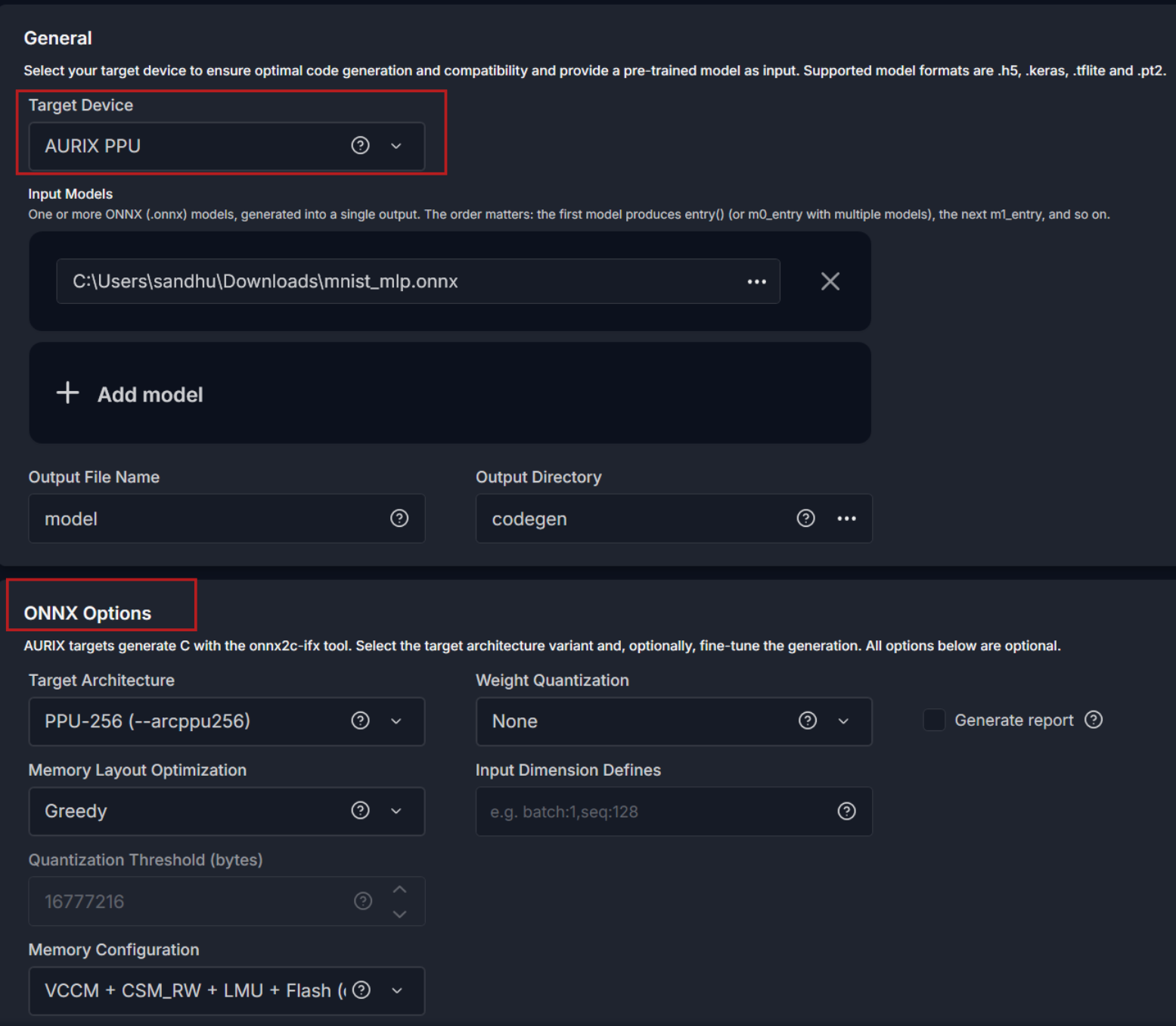
Model Conversion for AURIX™ TC4x
You can convert a neural network to embedded C code for the PPU or TriCore by selecting one of the two new AURIX™ TC4x targets. Configure how you want the Model Converter to handle memory allocation and weight quantization (optionally) so the network fits the required memory constraints while maintaining performance. Selecting the AURIX™ PPU target generates vectorizable code that is accelerated by the SIMD vector engine on the PPU.
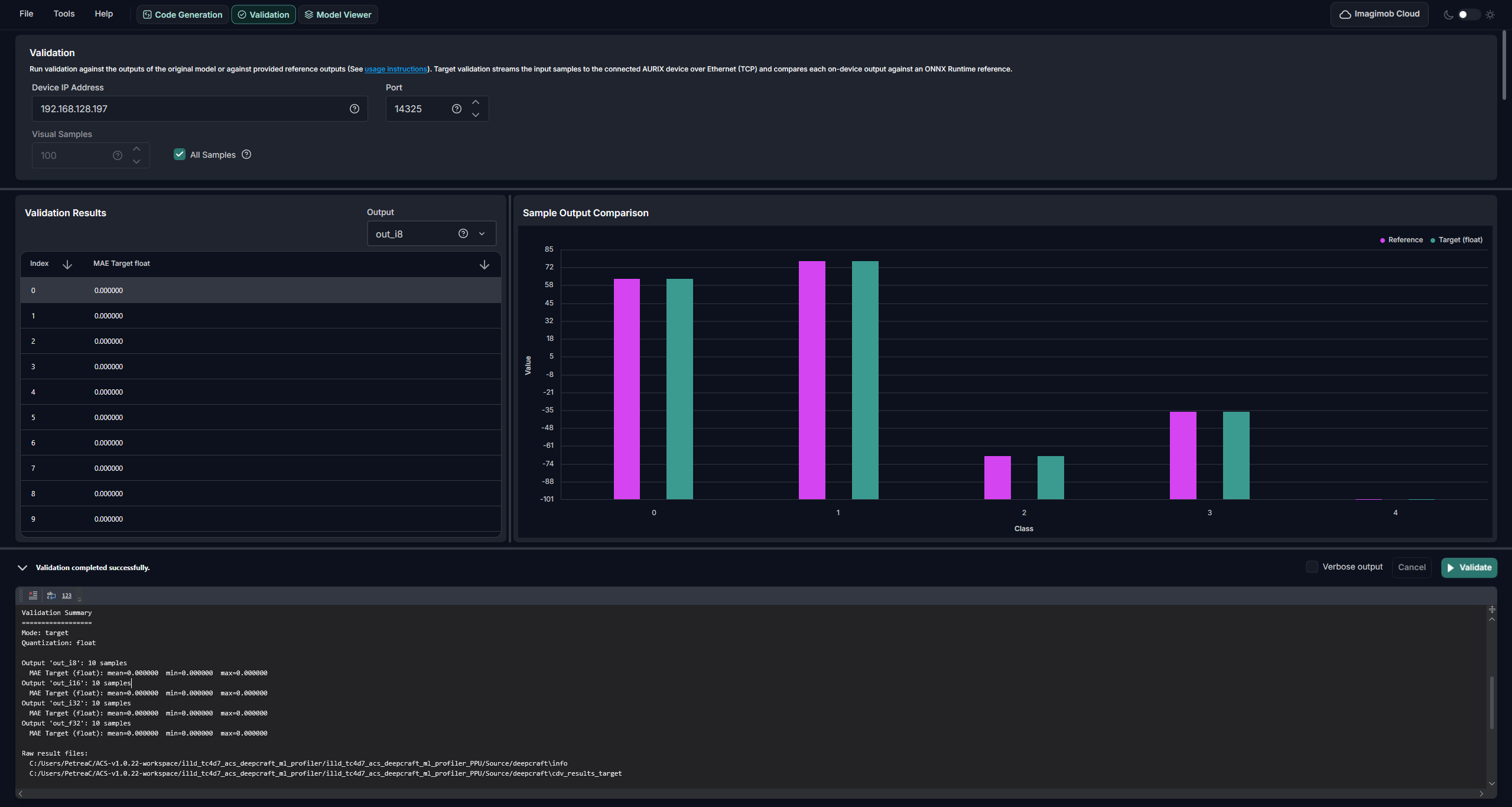
Model Validation and Profiling
Deploy the converted model on the AURIX™ TC4D7 Lite Kit using the example application. The example supports deployment on both the PPU and TriCore, and measures the number of cycles spent on inference.
You can also stream data to the device over Ethernet, run inference on the MCU, and receive the outputs to confirm that the model behaves the same on the AURIX™ MCU as it does on the desktop in ONNX Runtime. This works with either randomly generated or user-provided data, and streaming is optional if you only want to measure cycle counts.
For step-by-step instructions on model conversion, deployment, and validation, refer to Hands On – Converting an open-source model for AURIX™ in the Hands-On Training Manual. AURIX™ code generation and validation are available in both the GUI and CLI versions of DEEPCRAFT™ Model Converter.
Model Format
To generate code for the AURIX™ targets, provide the neural network in .onnx format. Depending on your framework, export the model using one of the following options:
-
TensorFlow: Use the open-source tensorflow-onnx project to convert TensorFlow models to ONNX.
-
JAX: Use the open-source jax2onnx project to convert JAX models to ONNX.
-
PyTorch: PyTorch has native ONNX export support built directly into the framework, making PyTorch the recommended starting point. Refer to the ONNX export tutorial for details.
Improved model optimization for PSOC™ Edge M55+U55
Updated the Ethos-U55 NPU optimization and export pipeline to Vela 5.2.0. This version improves the stability of model optimization and export for PSOC™ Edge M55+U55 and includes a number of bug fixes.
Improved PyTorch (.pt2) model conversion
Updated PyTorch (.pt2) model conversion to LiteRT-Torch 0.9. This version transitions to a new backend and quantization toolkit, offering improved stability and more reliable conversion of PyTorch models to the TFLite framework.
Fixes and Documentation Improvements
Updated the Deployment API page describing how to bring the generated code into your own PSOC™ application and the options that are available.